
Mobile Top-Up Casino UK: Deposits and Rules
 Available in GB
See how UK payment rules apply to mobile deposits, from phone-bill charges and SMS authorisation to withdrawals.

Table of Contents
- How Mobile Casino Deposits Fit UK Payment Rules
- Mobile Deposits Compared with Other Casino Payment Methods
- What Happens When a Casino Deposit Goes on Your Phone Bill
- SMS Confirmation: How a Mobile Casino Deposit Is Authorised
- Phone-Bill Deposits for Slots: Limits, Promotions and Withdrawals
- Using Mobile Deposits While Playing Slots
- When a Casino Lets You Top Up Slots by Mobile
- Mobile Billing for Casino Slots: Check Network Charges
- How to Compare Mobile Top-Up Options Without a Best-Casino List
- Can You Use Phone Credit to Deposit and Still Withdraw?
How Mobile Casino Deposits Fit UK Payment Rules
A mobile top-up is still a payment into a remote gambling account. Using a phone to start or confirm a transaction does not put it outside the rules that apply to online casino deposits. The relevant boundary is set by the operator’s obligations and by the type of funds used, not simply by the device in your hand.
In Great Britain, operators offering remote gambling to customers must hold the relevant UK Gambling Commission (UKGC) licence. That applies whether the operator is based in Britain or elsewhere. The Gambling Act 2005 provides the framework for gambling in England, Scotland and Wales; Northern Ireland is outside that Act’s scope. When you are considering an online casino, check that it is authorised to serve the market in which you are playing. A site’s appearance, a payment option in its cashier or an app on your phone does not by itself establish that it has the required status.
Credit cards are not an allowed route
UKGC rules bar remote gambling licensees from accepting credit-card payments for gambling. The restriction also covers a payment routed through a money service business: putting an intermediary between a credit card and a casino account does not make the underlying credit-card funding acceptable.
If you’re choosing a UK casino for mobile top-ups in 2026, check the payment details that matter to you before depositing. This list provides the payout-speed information available for each operator.
Payout speed: 1-3 business days Zombillion lists a payout speed of 1–3 business days. You can use this as a reference when considering withdrawal timing.
Payout speed: 1-3 business days SpinFormula lists a payout speed of 1–3 business days. You can factor that timeframe into your payment planning.
Payout speed: 1-3 business days Britsino lists a payout speed of 1–3 business days. This gives you a stated timeframe to consider for payouts.
Payout speed: 1-3 business days Chanze lists a payout speed of 1–3 business days. You can keep this stated timeframe in mind when reviewing its payment details.
Payout speed: 1-3 business days Amunbet lists a payout speed of 1–3 business days. This is the available information about its payout timing.
Payout speed: 1-3 business days Dieselwin lists a payout speed of 1–3 business days. You can use that timeframe as one point of reference.
Payout speed: 1-3 business days SlotoSport lists a payout speed of 1–3 business days. Consider this stated timing when checking payment details.
Payout speed: 1-3 business days NightLuck lists a payout speed of 1–3 business days. This gives you a stated payout timeframe to bear in mind.
Payout speed: 1-3 business days NightWin lists a payout speed of 1–3 business days. You can take this timing into account when reviewing the operator.
Payout speed: 1-3 business days WinBeast lists a payout speed of 1–3 business days. This is the available factual detail about its payout timing.
This matters when you assess a proposed mobile casino top-up. The fact that a transaction begins on a phone, is approved by text or passes through a payment provider does not alter the funding rule. You should not treat a route as permissible merely because the cashier displays it or because a third party processes the payment. The operator remains responsible for applying the restriction to deposits it accepts.
The rule concerns credit-card funding for gambling, including indirect routing. It is not a general statement that every payment made from a mobile device is prohibited. To understand what a particular route does, you need to distinguish the device used to make the payment from the source and processing of the funds. The cashier’s description and the operator’s payment terms are the places to check how a displayed option works.
A limit prompt comes before the first deposit
A new remote customer must be prompted to consider setting a financial limit before making their first deposit. This is a step to take seriously before authorising a payment: decide what amount you can afford to lose, and consider whether a limit would help you keep deposits within that boundary. The prompt is not a promise that a deposit method will prevent overspending or that a chosen limit will predict the outcome of play.

The operator must also keep account-level limit facilities accessible after that initial prompt. In practice, this means the ability to manage limits should not disappear once you have deposited. If you want to review or change your account controls, look for them in the account settings or responsible-gambling area, or consult the operator’s instructions. Do this before depositing if you need to understand how the controls work.
A financial limit is separate from the payment method. A mobile route may impose its own conditions, but those do not replace the operator’s responsibility to present the limit prompt and keep account controls available. Likewise, choosing a limit does not change the rules on which forms of payment a licensee may accept. These checks apply at the account and operator level, regardless of whether you are using a phone or another device.
Check the account before authorising payment
Before you proceed, make sure you are dealing with an operator holding a current UKGC licence for the relevant market, and read the cashier information rather than relying on a payment label alone. Confirm that the payment route is described clearly and that you understand what it will charge. If the funding source is a credit card, do not use it for a gambling deposit, whether the route is direct or involves a payment intermediary.
Also consider the financial-limit prompt before making your first deposit. It is an opportunity to think about your spending boundary, while the continuing account controls allow you to manage that boundary later. These safeguards and payment restrictions form the basic framework for mobile casino deposits in Great Britain; the details of individual payment routes sit within it, not outside it.
Credit Card Ban
UKGC rules strictly prohibit the use of credit cards for remote gambling deposits, including payments routed through intermediaries.
Mobile Deposits Compared with Other Casino Payment Methods
A mobile top-up is one way to add funds to a casino account, not a separate kind of casino balance. Once a deposit has been accepted, the money sits in your account alongside funds added by another method. The difference is the route used to authorise and collect the payment: pay by phone links it to your mobile service, while a card, e-wallet or other option uses its own payment process.
The distinction matters when you choose how to fund an account. Payforit and Boku are phone-based options, but they are not interchangeable with a debit card or an e-wallet. A specialist review may describe a broad range of methods across online casinos, including Visa, Mastercard, Skrill, Neteller, PaysafeCard and some major cryptocurrencies. That is a summary of payment options reported in reviews, not confirmation that any particular operator accepts them. The casino’s live cashier is the place to check what you can actually use.
How the main payment types differ
With pay by phone, the payment is associated with your mobile number or phone account. This can make it a distinct option from using a bank card or signing in to an e-wallet. The practical question is not simply whether a method exists in the market, but whether it appears in the cashier for your account and can be selected for the deposit you intend to make.
A debit card links the deposit to a bank account. A specialist review describes debit-card deposits at UK casinos as free and more widely accepted than Payforit, but this should not be treated as a promise about every operator. Check the current cashier for any fee and for the methods it offers. A credit card is not an alternative route for online casino gambling in Great Britain; the permitted card comparison is therefore with debit cards.

An e-wallet such as Skrill or Neteller is a separate account-based payment route. PaysafeCard is another named option reported in specialist reviews, while cryptocurrency appears in some reviews as well. These categories do not establish that a given casino supports them, or that they are available to every customer. Availability must be verified before you plan around a method.
PayPal may also appear as a payment option, but its presence elsewhere does not establish that it is available at a particular casino. Treat each method as an operator-specific choice rather than assuming that a familiar brand will be offered wherever you open an account.
Compare the route, not just the label
The payment name alone tells you little about the conditions attached to a deposit. The cashier should show whether the method is available and the relevant minimum, maximum, fees and processing information. These details can differ by payment method and may change, so a list from a review cannot replace the information shown when you are ready to pay.
For a mobile phone top-up, also consider that the payment is tied to mobile service rather than being taken directly from a debit card or e-wallet. That difference can affect which source of funds is charged and whether the route suits your circumstances. The precise billing arrangement for Payforit depends on whether your phone is on a contract or pay as you go; that is a separate practical consideration from comparing the payment categories.
Linked to your mobile number or phone account via options like Payforit and Boku.
Directly links the deposit to a bank account; widely accepted and typically free.
Account-based payment routes including services such as Skrill, Neteller, and PayPal.
Alternative options reported in reviews, including PaysafeCard and certain cryptocurrencies.
A useful comparison is therefore based on the outcome you need. If you want to use a bank-linked route, check whether a debit card is listed. If you prefer an account-based intermediary, look for the specific e-wallet in the cashier rather than assuming all wallets are supported. If you want to pay by mobile, confirm that Payforit or Boku is actually offered. A method mentioned in a general review is not evidence of live support at the casino you are using.
Do not assume that the way you deposit will also be available when you later request a withdrawal. Deposit and payout options can differ, and the selected method may have its own conditions. Check the casino’s current payment information before depositing, including the payout route available to your account. That lets you compare the complete payment path rather than choosing a deposit method based only on its name or convenience.
For an online casino top-up by mobile, the key comparison is thus between a phone-linked payment and the alternatives shown in the live cashier. Reviews can help you recognise possible options, but they cannot confirm current availability, charges or account-specific conditions. Use them as context, then make the decision from the operator’s current payment screen.
What Happens When a Casino Deposit Goes on Your Phone Bill
Payforit lets you fund a casino account through your mobile service, with the cost assigned to your phone account rather than paid directly from a bank card. Where that cost appears depends on whether your phone is on a monthly contract or uses pay-as-you-go credit. The distinction matters: one route adds an amount to a bill you will receive later, while the other uses credit you have already paid for.

With a monthly contract, a Payforit deposit is added to a future phone bill. It is therefore separate from the amount you pay into the casino account in the sense that the casino receives the deposit, while your mobile provider includes the associated charge in its billing for the phone service. When reviewing your phone costs, account for the casino deposit as well as your regular plan charges. The amount may not be visible in your bank balance at the moment you make the deposit, but it still becomes a cost you need to pay through your phone account.
On pay-as-you-go, the deposit is taken from prepaid mobile credit instead. You need enough available credit for the transaction to be accepted; if the balance is insufficient, that credit cannot cover the deposit. Unlike a contract bill, this route draws on a balance that has already been topped up. Keeping track of the remaining credit is therefore part of managing the amount you choose to put into the casino.
The underlying payment method is Payforit in either case. The difference is not that the casino receives a different kind of deposit, but where the corresponding charge is recorded: on a later phone bill for a contract account, or against prepaid credit for pay-as-you-go. If you are comparing the two, consider when you will have to account for the cost and whether the phone account has enough capacity or credit for the amount you intend to deposit.
Depending on your mobile plan, a Payforit deposit will either be added to your future monthly phone bill or deducted from your existing prepaid credit balance.
A specialist review reports a typical Payforit deposit minimum in the £3–£5 range and a maximum of £30. Treat those figures as a guide, not as a guaranteed offer from every casino. The amount available to you is the one displayed by the operator’s live cashier, which may set its own permitted minimum or transaction value. Check that screen before confirming a deposit, especially if the amount you want to add is close to either end of the reported range.
The minimum is relevant even when you have enough phone credit or room on a contract account to cover a smaller amount. The casino’s cashier can still require a deposit that meets its stated minimum. Similarly, having a larger balance on your phone does not mean you can enter any amount you choose: the available options are constrained by the cashier’s displayed values and Payforit’s stated maximum. Your phone account and the casino cashier each affect whether the intended amount can be used.
For a monthly contract, it can help to think of a deposit as a phone-account charge that will be collected with your future service bill. For pay-as-you-go, think of it as spending part of the prepaid balance. Neither description changes the casino balance you are funding; they explain the source of the payment and where you should look to account for its cost. If you cannot identify the applicable amount or charge route in the cashier, do not assume it will be treated like a card payment. Check the available Payforit terms and your phone-account balance or billing information first.

When you choose a deposit value, use the amount shown at the point of payment rather than relying on a remembered range. A cashier can show whether the value is accepted before you proceed, and the phone-account type determines whether the cost will reduce prepaid credit or appear on a later bill. This makes it possible to understand the practical effect before adding funds: the casino deposit is one amount, while the effect on your phone account follows its billing arrangement.
SMS Confirmation: How a Mobile Casino Deposit Is Authorised
An SMS step is part of authorising a pay-by-mobile deposit, not merely a notification that a payment has already gone through. With Payforit, the process starts in the casino cashier: select Payforit and enter the mobile number requested. A confirmation code is then sent by text. You submit that code to approve the deposit.
The order matters. Choosing Payforit begins the payment request, but the code is the step that confirms it. If you do not enter and submit the code, the authorisation sequence has not been completed. Read the cashier’s instructions as you go, since the number and any details shown there need to correspond to the transaction you intend to approve.
Boku also requires confirmation by SMS before funds move. Select Boku only if it is displayed as an available option in that casino’s current cashier. Follow the instructions shown for the transaction and confirm it by text; the deposit is not authorised to proceed until that confirmation has been made. The SMS approval is therefore a required part of the payment sequence, rather than an optional message to acknowledge afterwards.
Authorising Deposits
Choose Payforit or Boku in the casino cashier and enter your mobile number.
Wait for the confirmation code to be sent to you via text message.
Enter and submit the code (for Payforit) or confirm the transaction by SMS (for Boku) to complete the authorisation.
The two methods share the need for a text-message confirmation, but their steps should not be treated as identical. Payforit’s stated process specifically asks you to enter a mobile number, receive a code and submit it. For Boku, the essential step is confirming the transaction by SMS before the funds move. Use the instructions presented for the selected method rather than assuming that a code or approval prompt will work the same way in both.
If a message does not arrive, or the cashier does not accept the confirmation, the authorisation has not been completed as intended. Check that you followed the displayed steps and that you are responding to the transaction you started. Do not treat an SMS as proof that a deposit has been credited: the relevant point is whether the cashier confirms the payment. If it remains unclear, check the account’s transaction information or contact the operator before starting another request.
A mobile casino top-up by SMS is thus a sequence of actions: choose a method shown in the cashier, follow its prompt, and provide the required text-message confirmation. For Payforit, that includes entering the mobile number and submitting the received code. For Boku, confirm the transaction by text before the funds move. Keeping those steps distinct helps you identify whether a request is awaiting approval or has been completed, without confusing authorisation with the separate question of how the charge is handled.
Phone-Bill Deposits for Slots: Limits, Promotions and Withdrawals
Payforit puts a firm ceiling on the amount you can add in a single transaction. A specialist payment-method review reports a maximum of £30 per deposit, in line with the cap attributed to the Phone-paid Services Authority. Treat that as a per-transaction limit, not a promise that every cashier will accept a deposit of that size: an operator can set a lower maximum, and its current cashier determines the amount available to your account.

This matters when planning how to fund slot play. If the amount you want to deposit is above the limit shown for Payforit, do not assume you can submit it as one payment. Check the cashier’s displayed maximum and terms before confirming anything. The cap is not a reason to look for a workaround; use only payment options the operator presents for your account.
Promotions need a separate check. Specialist casino reviews report that most UK casinos exclude Payforit deposits from welcome bonuses and other promotional offers. That does not establish the terms at any particular casino: the promotion rules may define which payment methods qualify, and those rules can differ between offers. Read the relevant terms before depositing if bonus eligibility affects your decision. A deposit that reaches your casino balance does not, by itself, mean it counts towards an offer.
The withdrawal restriction is more direct: Payforit cannot be used to send casino funds back to your phone account or phone credit. It is a deposit route only. Any balance you later want to withdraw therefore needs another available payout route. Do not treat the method used to add funds as proof that the same route can return them.
Keep the three restrictions distinct. The per-transaction cap limits how much Payforit can add at once; promotion terms determine whether a deposit qualifies for an offer; and the withdrawal restriction determines how winnings or remaining funds can leave the casino account. One does not cancel or explain the others. For example, a deposit may be within the payment limit but still be excluded from a bonus, while funds credited to your account still cannot be withdrawn through Payforit.
- Check the cashier’s displayed maximum for Payforit
- Review promotion rules for payment eligibility
- Verify available withdrawal routes
- Assume a £30 cap applies to all operators
- Assume all deposits qualify for welcome bonuses
- Expect to withdraw funds back to phone credit
Before using phone-bill payment for slots, check the amount the cashier permits, the terms of any offer you intend to claim, and the withdrawal methods available to your account. If a bonus is important, confirm eligibility before making the deposit rather than relying on the general description of the promotion. If withdrawing through a different method would not suit you, that is relevant before the money goes in, not only when you later request a payout.
These checks concern the payment conditions around slot play, not the games themselves. A Payforit deposit can fund an account, but it does not alter the payment cap, make an excluded deposit bonus-eligible, or create a Payforit withdrawal option. Read the operator’s current cashier information and terms together so you can see how each condition applies to the transaction you are considering.
Using Mobile Deposits While Playing Slots
A mobile payment method affects how money reaches your casino account; it does not alter the slot game. When you add funds by phone, the payment route handles the transfer into your account balance. The slot then uses that balance when you choose to play. Selecting pay by phone therefore does not change a game’s rules, features or outcomes.
This distinction helps when you are comparing ways to fund an account. A mobile top-up is a payment choice, not a type of slot or a special mode of play. Once the deposit has reached your balance, the payment method is separate from the game interface. If you switch to another slot, the method used to fund the account does not change how that slot operates either.

Keep the two stages distinct: first, a payment is authorised and credited; separately, you decide whether and how to use the available balance in a game. A successful deposit does not mean you have started a slot session, and opening a slot does not itself make a mobile payment. This separation also matters if you are checking a transaction: look at the cashier or account history for the deposit, rather than treating a game screen as confirmation of the payment route.
The same separation applies when you plan to take money out. Do not assume that a method used for a deposit can also receive a withdrawal. A specialist review advises players to confirm withdrawal availability for the selected payment method. Check the options shown for your account before depositing, because the available payout route is a separate part of the payment arrangement.
This is relevant when choosing slots to play with a phone-funded balance. The game choice and the withdrawal route are different decisions: choosing a slot does not make the deposit method eligible for payouts. Check the casino’s cashier for the payment methods currently available to you and review the withdrawal options independently. If the mobile method is deposit-only, you will need another available route to receive a payout.
Treat mobile deposits as a way to fund the casino account, not as a feature that changes slot play. That keeps the mechanics clear: the payment method governs the transfer into the account, while the slot governs play after funds are available. The account’s withdrawal options must be checked separately, rather than inferred from the way you paid in.
Payment vs Play
- Mobile payment methods only handle the transfer of funds into your casino balance
- Using a phone deposit does not change slot game rules, features, or outcomes
- Withdrawal options are separate and must be verified independently from the deposit method
When a Casino Lets You Top Up Slots by Mobile
Whether you can use Payforit depends first on how you access the casino. Payforit is generally reserved for mobile players, so the option may appear when you open the account on a phone but not when you use a desktop computer. This is a method-access condition, not a feature of the slot: the deposit funds your casino balance, while the game runs separately.
Check the cashier while signed in on the device you intend to use. Payment options can be presented differently according to the operator and account, so seeing Payforit mentioned elsewhere does not establish that it is available to you. If it is not shown in your live cashier, do not assume that changing the slot, opening another page or using a different device will make it available. Check the operator’s current payment information or ask its support team.
The phone itself must also let you complete the cashier’s requested steps. If a page does not load properly, a field is unavailable or the payment option is not displayed, stop rather than entering details into a different or unfamiliar page. Return to the casino’s account area and check whether the route is offered there. Availability on a phone is not proof that every handset, browser or account can use it.
Before trying to deposit, make sure you are signed into your own account and that the operator has completed any required age verification. The casino must verify your age before allowing a deposit. Follow the account and cashier instructions; do not treat another person’s device or payment details as a substitute for an option that is unavailable to your account.

In practical terms, “top up slots by mobile” means adding money to the casino account from a phone, not paying for a particular slot directly. Confirm that Payforit is displayed in your account’s cashier on the mobile device you plan to use. If it is not, select only another method that the live cashier actually offers.
Mobile Billing for Casino Slots: Check Network Charges
A Boku deposit puts the casino charge through your mobile network, so the amount debited from your phone account may not be identical to the amount credited to your casino balance. A network processing fee may be added. Whether one applies, and how much it costs, depends on your network and tariff; check your current tariff information and the charge shown before confirming the payment.
A specialist review describes £30 as Boku’s standard maximum for a single transaction. Treat that as a per-transaction ceiling, not as a promise that every casino will accept a deposit of that size. The operator can set a lower limit, and Boku may not appear in a particular cashier. Check the casino’s live payment screen for its own permitted amount and whether Boku is currently offered.
The fee matters because your available phone credit or account allowance has to cover both the deposit and any network charge. If it covers only the amount you intend to deposit, the transaction may not go through. On a pay-as-you-go account, check the remaining balance; on a contract, check how charges made through your network are treated under your tariff. Do not assume that the fee is included in the casino deposit simply because the payment is displayed as one transaction.
Attention: Boku deposits may incur network processing fees depending on your tariff, meaning the total cost charged to your phone account may exceed the amount credited to your casino balance.
For mobile billing slots, this is a payment-accounting issue rather than a feature of the game. The casino balance receives the deposit amount, while any network fee is a separate cost of using Boku. Before proceeding, compare the amount the casino will credit with the total your network may charge. If the cashier does not make the total clear, verify the fee with your network or tariff provider instead of estimating it.
The cap and fee can affect a decision differently: the cap limits the amount sent in one transaction, while the fee can increase the amount charged to your phone account. Check both before approving a Boku deposit, and do not treat the standard cap as evidence that a particular casino supports the method.
How to Compare Mobile Top-Up Options Without a Best-Casino List
A useful comparison starts with the cashier on the account you intend to use, not a ranking of operators. Payment options and their terms can differ by operator and method, so a description elsewhere cannot confirm what is available to you when you deposit. A specialist review may provide context, but treat the live cashier and current operator terms as the point of reference for a transaction.
For each pay-by-mobile option shown, record the minimum deposit, maximum transaction value, any fee, and the stated processing information. These details let you check whether the method can handle the amount you plan to deposit and what the transaction may cost. Do not assume that a method displayed on another site, or at another operator, will also appear in your own account.
Check the cashier’s account financial-limit controls before depositing as well. A payment method’s transaction ceiling and an account limit are separate controls: one sets a boundary for a payment, while the other applies to account activity. Confirm that the amount you intend to deposit fits both.
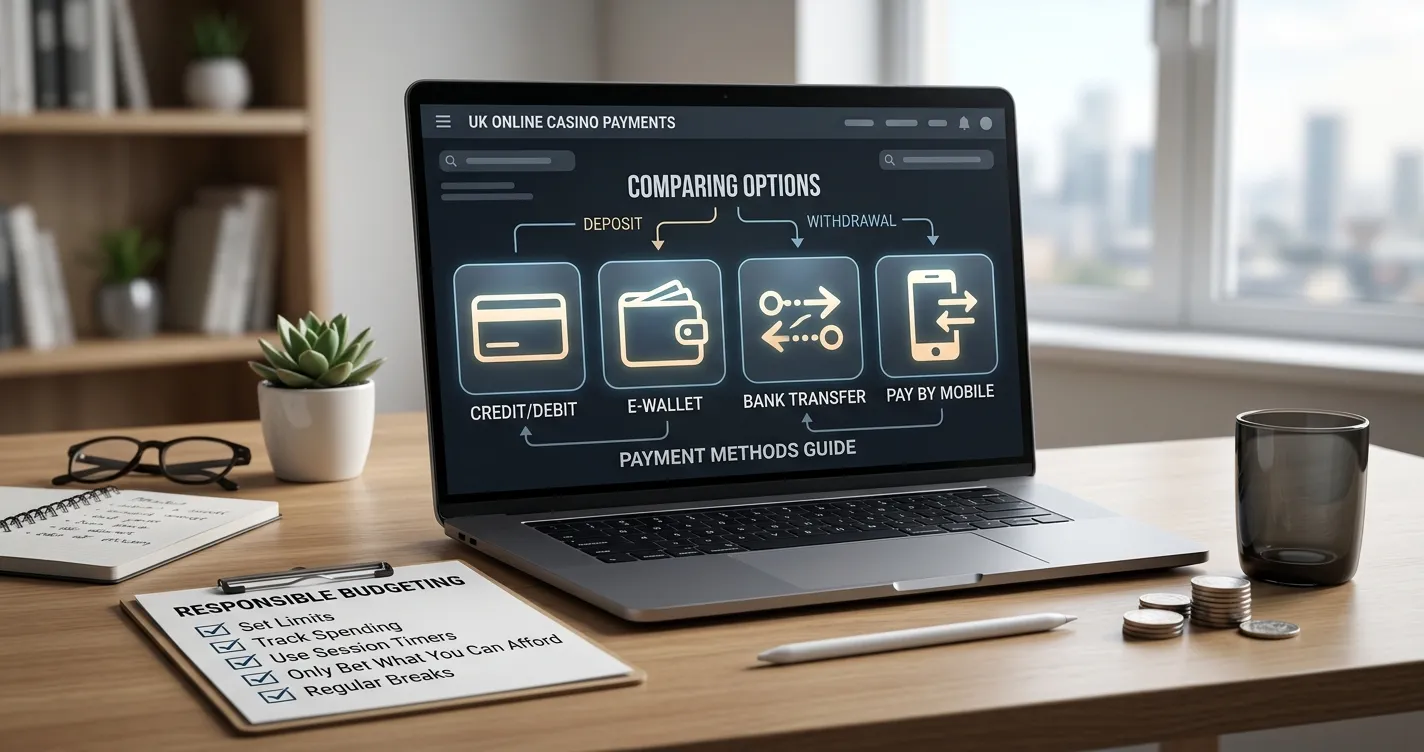
If you are comparing a mobile option with another method, use the same criteria for each and read any conditions attached to the displayed choice. A fee may affect the amount charged, while processing information helps set expectations about when a transaction is handled. If a detail is unclear or not shown, check the operator’s current terms rather than filling the gap with an estimate.
Recheck these details at the point of deposit. Minimums, maximums, fees and processing times depend on the selected method and the live cashier; they can change. Withdrawal terms can also change over time, and the route, limits, fees and processing statements may differ from deposit information. A comparison made earlier is therefore a guide, not confirmation of the terms that apply now.
Can You Use Phone Credit to Deposit and Still Withdraw?
Phone credit can fund a casino account through Payforit, but it cannot be used to send casino funds back to you. Treat the deposit and withdrawal as separate payment steps: paying in by phone does not establish which payout routes your account can use.
Before you deposit, check the cashier’s withdrawal options and the operator’s current terms. A specialist review identifies debit card, bank transfer, PayPal and e-wallets such as Skrill or Neteller as possible withdrawal routes at UK-licensed casinos; that does not mean every route will be offered to every account. The live cashier is the place to confirm what is available to you.
Also check whether the operator still needs identity documents or other account checks. An unresolved verification request can affect access to a withdrawal, even when a payout method is listed. Make sure the route you intend to use matches your account details, then check any applicable limits or fees in the cashier before depositing.
This matters particularly if you are considering a casino top-up with phone credit: the phone account is the funding source, not a withdrawal destination. If you deposit through Payforit, plan to receive any payout through another method offered for your account. Confirm that route and the relevant account requirements first, rather than assuming you can reverse the deposit back to your phone balance.
What are the withdrawal limits when using a Payforit casino?
You cannot withdraw casino funds through Payforit. Check the casino cashier for the limits on its available withdrawal methods.
Which UK casinos still accept Payforit in 2026?
Payforit is listed as available at Kwiff, NetBet, JackpotJoy and Virgin Games. Check the live cashier to confirm it is available for your account.
Do all casinos accept Payforit?
No. Payforit is available at some operators, including Kwiff, NetBet, JackpotJoy and Virgin Games; check the cashier to see whether your casino accepts it.
What is the maximum amount I can deposit via Payforit?
Payforit deposits are capped at £30 per transaction.
Can I withdraw casino winnings to my phone bill with Payforit?
No. Payforit can be used for deposits, but not to withdraw casino funds.
What is the maximum I can deposit with Boku at a UK casino?
The standard maximum is £30 per transaction. Your phone credit must cover the deposit and any network fee.
Published by the Fortune Casino team.